Command (EBML SubStep)
"Command" examples in proper EBML, including each allowed alias
Step | This step pings Google a bunch
  Command | ping 8.8.8.8
  CMD | ping 8.8.8.8
  > | ping 8.8.8.8
  % | ping 8.8.8.8
  $ | ping 8.8.8.8
  # | ping 8.8.8.8
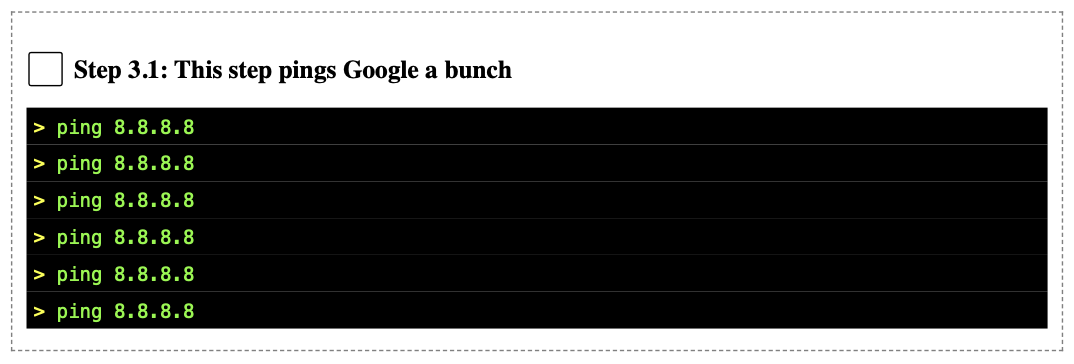
In the default asset pack formatting (circa stanhope 0.107.X), the step above will render as:
Ideas for using "Command" in your processes
Produce a test script from your EBML
Useful reading:
The gist: if your procedure describes a series of steps that require sending commands to a computer system, you can keep 100% consistent between your process document and your script file if they come from the same EBML source.
Add some "Context (EBML SubStep)" lines before your "Command" lines
...
Combine with "Action (EBML SubStep)" table(s)
...
Combine with "Image (EBML SubStep)" for unambiguous visuals
...
Combine with "Verification (EBML SubStep)" if formal requirements are being verified
...
Consider "Objective (EBML SubStep)" and "Out of Scope (EBML SubStep)" lines for key Commanding steps
Put it all together: a really user-friendly process full of computer commands
A suggested way of writing a step with a command
Step | Ping Google to verify the system talks to the Internet
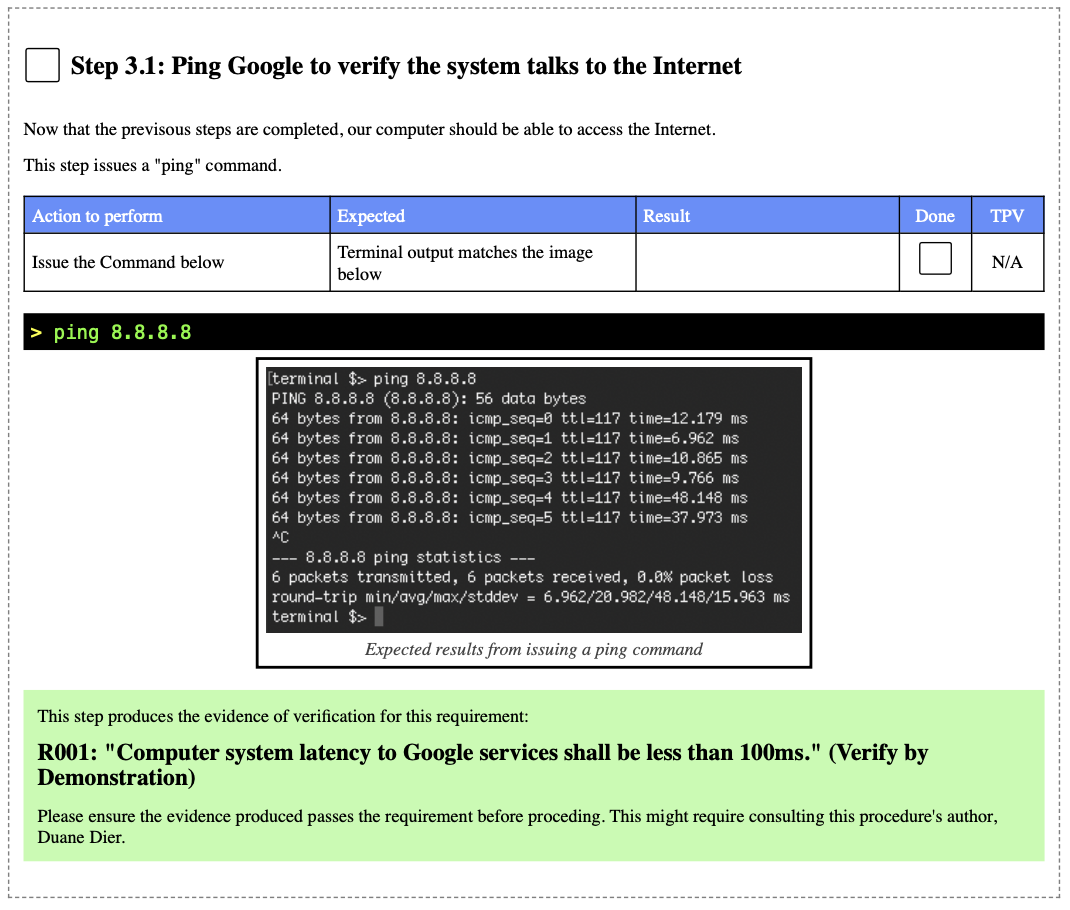
	Context | Now that the previsous steps are completed, our computer should be able to access the Internet.
	Context | This step issues a "ping" command.
	Action  | Issue the Command below | Terminal output matches the image below
	Command | ping 8.8.8.8
	Image   | ping-results.png | Expected results from issuing a ping command
	Verification | R001 | Computer system latency to Google services shall be less than 100ms. | D
Default asset pack formatting (circa stanhope 0.107.X) yields this rendering:
[!note] For this example, "ping-results.png" was created and placed in the Process Folder...
Scriptifying this process in bash (without pauses) produces this code in the process's script file:
echo 'Step 3.1'
echo 'Ping Google to verify the system talks to the Internet'
echo ''
# Now that the previsous steps are completed, our computer should be able to access the Internet.
# This step issues a "ping" command.
ping 8.8.8.8
echo ''